


About this UPS
The APC Back-UPS Pro BX1500M is a 1500 VA / 900 W tower line-interactive UPS.
Specifications
| Output Capacity (VA) | 1500 VA |
| Output Power (Watts) | 900 W |
| Topology | Line-Interactive |
| Output Waveform | Simulated Sine Wave |
| Input Voltage | 120V |
| Output Voltage | 120V |
| Input Connection | NEMA 5-15P |
| Outlets | 5 × NEMA 5-15R; 5 × NEMA 5-15R (surge only) |
| Form Factor | Tower |
| Battery Type | Lead-acid internal included |
| Replacement Battery (maker part) | APCRBC124 |
| Dimensions | 100 × 382 × 250 mm (3.94 × 15.04 × 9.84 in) W × D × H |
| Weight | 11 kg (24.3 lb) |
| Manufacturer Part Number | BX1500M |
Why is my APC Back-UPS beeping, and which battery fits? (2-minute video)
Chapters and transcript
- 0:00 Why is my Back-UPS beeping? Screen or no screen
- 0:13 Back-UPS Pro with a screen: beeps, chirps and mute
- 0:55 Back-UPS without a screen: tones, button colors and mute
- 1:32 Replace Battery warning and which cartridge fits
Your APC Back-UPS is beeping. What the beeps mean depends on one thing: does your model have a screen? A single beep now and then is normal. It means the UPS just covered a short power blip.
On a Back-UPS Pro with a screen, four beeps every thirty seconds mean it is running on battery. Continuous beeping means the battery is low. Save your work and shut down. A continuous, solid tone means the outlets are overloaded. Unplug equipment that does not need backup. On most Pro models, chirps every two seconds mean the battery is disconnected. Continuous chirping with the Replace Battery icon means the battery failed its automatic test. On a BR1500G, a failed battery test chirps for one minute every five hours. While on battery, hold MUTE for two seconds to silence the alarm. For a failed battery, pressing MUTE only pauses the chirping.
Models without a screen, like the BE600M1 or BN900M, stay quiet on battery out of the box. They beep twice every thirty seconds when the battery is low. A constant tone with the power button flashing red means the battery is disconnected. A brand-new unit ships with one battery cable disconnected, so connect it first. A constant tone with the button alternating green and red means the battery needs charging, or replacing. A short press of the power button, under two seconds, mutes the on-battery, disconnected and overload alarms. Hold it longer and the UPS turns off. The battery replacement alarm cannot be muted.
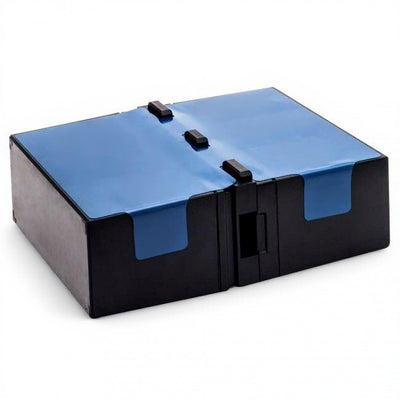
Replace Battery is a warning, according to APC, which typically recommends replacing within two to four weeks. The BE600M1, BE670M1 and BN650M1 take APCRBC154. The BN900M, BE850M2 and BR700G take RBC17. The BX1500M and BR1500G take APCRBC124. The BR1500MS2 takes APCRBC163, and the BN1500M2 takes APCRBC161. On the BE425M, APC says the battery is not user-replaceable. Find the battery for your UPS model at UPSPLUSBATTERY. Our replacement batteries carry a one-year full replacement warranty.
Technical specifications
Setup checklist: after you receive your UPS →
How long it'll keep your equipment up.
Manufacturer-specified runtime at typical loads. Real-world figures depend on battery age, ambient temperature, and load profile.
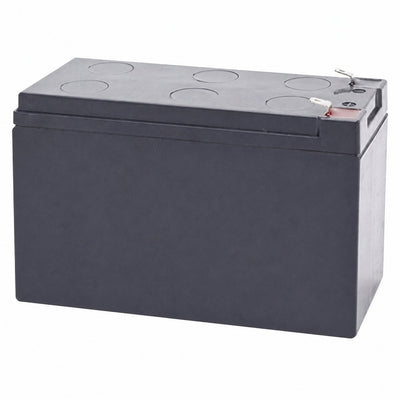
Replacement batteries that fit this exact UPS
A line-interactive UPS typically needs new batteries every 3 to 5 years. Matching replacement cartridges are listed by UPS model; confirm the exact model before ordering.

Questions before you buy
How do I know this UPS will run my equipment?
Add up the wattage draw of every device you'll plug in (servers, switches, monitors). The UPS's wattage rating (not VA) is the number that matters. Aim for the UPS to run at 60 to 70% of capacity at full load: this gives headroom for inrush current and a meaningful runtime margin. Email us your equipment list; we'll respond within one business day with sizing guidance.
What's covered by the warranty, and how long does it last?
New units carry the warranty coverage stated by the manufacturer; see the product listing or manufacturer documentation for the applicable terms. Refurbished units are covered by the 1-year UPSPLUSBATTERY warranty handled in Canada.
Can I extend runtime beyond what's shown above?
Many Smart-UPS-class models accept an external battery pack (XBP) connected to the rear battery port. If this UPS shows "Extended Runtime Capable: Yes" in the spec grid above, an XBP is supported. Compatible XBPs and the runtime gain they deliver vary by model; contact us if you don't see the right XBP in our catalogue.