APC Smart-UPS Battery Replacement: Find the Right Pack by Model (Canada)
Which battery fits your APC Smart-UPS? The fit is set by the exact model number printed on the unit, not by the VA rating. Two units both labelled 1500 VA from different generations take different packs. Find the model on the white bar-code sticker, then order the pack listed under that same model number. This guide shows where to look, how to read the date code, and where each series sits in our catalogue.
Scope: APC Smart-UPS tower, rack-mount, SMT, SMC, SMX, SUA, RT and SRT units in Canadian service. Pack counts below were read from this store on 16 September 2026 and will move; the current price is on each product page. Fitment is always confirmed against your own model number, never against a VA rating alone.
Which battery fits my APC Smart-UPS?
Every replacement pack on this site is listed under the UPS model it fits. If your unit is an SUA1500I, the pack you want is the one whose SKU reads SUA1500I. That is the whole search: you look up your UPS, not your cartridge. The table below is the shortcut by series.
| Your Smart-UPS series | Example model numbers on the label | Packs listed | Where to look |
|---|---|---|---|
| Smart-UPS 1000 | SUA1000RM2U, SU1000RM3U, SMT1000RM2UC, SMC1000-2UC | 12 | Smart-UPS 1000 battery replacements |
| Smart-UPS 1500 | SUA1500I, SMT1500C, SMT1500NC, SMX1500RM2U, SUA1500X413 | 41 | Smart-UPS 1500 battery replacements |
| Smart-UPS 2200 | SU2200RM3U, SU2200RMI3U, SU2200RMI, SU2200R3X147 | 49 | Smart-UPS 2200 battery replacements |
| Smart-UPS 3000 | SMT3000RMI2U, SU3000RM3U, SUA3000I, SUA3000RMJ2UB | 43 | Smart-UPS 3000 battery replacements |
| Smart-UPS RT | SURT1000XLI, SURT2000RMXLI, SURT2000UXI, SURT48XLBP | 55 | Smart-UPS RT battery replacements |
| Smart-UPS SRT | SRT2200, SRT3000 and related SRT models | 10 | Smart-UPS SRT battery replacements |
Which battery fits the APC SMT1500? (40-second video)
Chapters and transcript
- 0:00 Which battery fits the APC SMT1500? One RBC7 cartridge.
- 0:12 Which models does it fit? The SMT1500C and SMT1500CUS, and the older SMT1500US. The model is on the rear panel label.
- 0:25 Two ways to buy it: a loose set that reuses your existing wiring, or a pre-assembled cartridge ready to drop in.
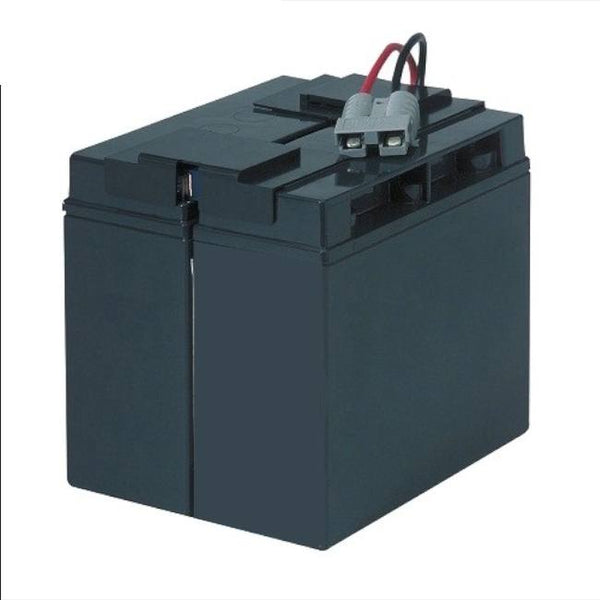
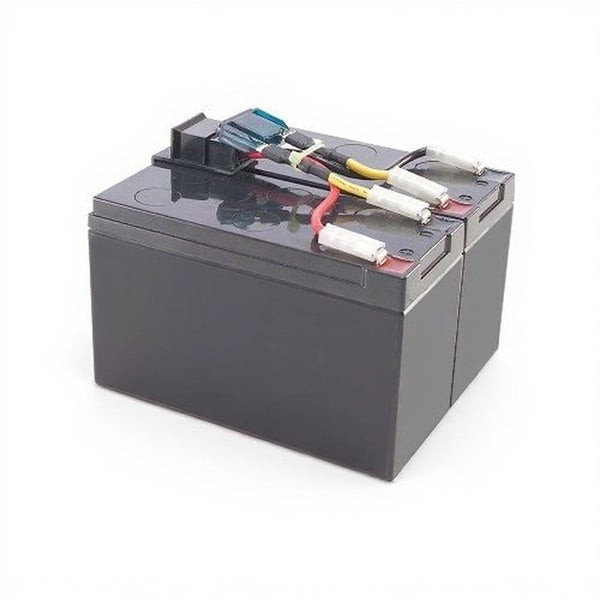
Which battery fits the APC SMT1500? It takes one RBC7. The RBC7 is a 24 volt, 17 amp hour sealed lead acid cartridge. It fits the SMT1500C and SMT1500CUS, and the older SMT1500US. Read the model on the rear panel label. We stock it two ways: a loose set that reuses your existing wiring, or one wired and ready to drop in. The battery is linked below. UPSPLUSBATTERY ships across Canada.
If your model is not in those examples, search the full APC Smart-UPS replacement battery catalogue by model number, or browse the APC RBC battery cartridges if you already know the cartridge part number. Every listing states the model it is compatible with, the chemistry, the shipping weight and the warranty.
All APC models: APC battery replacement, with cartridges and battery sets listed by UPS model.
Where the model number is, and how to read the date code
Schneider Electric, which owns APC, states that the model number is on a white bar-code sticker located behind the UPS or on its underside. The top row of that sticker is the model number and the bottom row is the serial number.
The serial number carries a piece of information most people never use. Schneider states that the third and fourth characters of the serial number indicate the year the unit was manufactured. Their published example is serial SB0416505132, a unit manufactured in 2004. That gives you the age of the equipment in seconds, without opening anything, and age is the first input into a replacement decision.
One caution: the date code tells you when the UPS was built, not when the battery inside it was last changed. If the unit has been serviced before, look for a replacement sticker or a date code on the battery itself. If neither exists, assume the pack is as old as the unit.
OEM cartridge or compatible pack: what you are actually buying
APC sells pre-assembled Replacement Battery Cartridges under part numbers beginning RBC or APCRBC. A compatible pack is built to the same voltage, amp-hour rating, physical format and connector, and is supplied by a manufacturer. Both restore rated runtime when they are correctly matched.
| Point of comparison | APC OEM cartridge | Compatible pack |
|---|---|---|
| Part identity | RBC or APCRBC part number | Listed under your UPS model number |
| Chemistry | VRLA AGM, or lithium on the LI cartridges | VRLA AGM sealed lead-acid |
| Fitment basis | APC published cartridge mapping | Matched to the same UPS model, voltage and connector |
| Warranty | APC terms (APC cartridges are not sold on this site) | One year full replacement warranty on this site |
| Typical cost | Higher, especially for lithium cartridges | Lower |
| Effect on the UPS | None, it is a consumable | None, it is a consumable |
Installing a correctly matched aftermarket pack does not damage a Smart-UPS and does not affect the electronics. The one thing that does cause trouble is a partial swap: replacing some batteries in a string and leaving the rest. Within a string the weakest unit sets the discharge performance, so a mixed-age string performs like its oldest member. Replace a string as a complete set. If you know the cartridge number and want the equivalence across brands, see our RBC and CyberPower cross-reference guide.
The warning signs that mean replace now
A Smart-UPS almost always signals a failing pack before it drops the load. These are the signals worth acting on, in the order they usually appear.
A dropped load on a brief power blip is the most common and most expensive way a tired pack gets discovered. If it happens, replace the pack, and also confirm the connected load is inside the unit's rating. A chronically overloaded Smart-UPS shortens its own battery life.
How long a Smart-UPS pack lasts, and what shortens it
Schneider Electric states that a UPS battery typically lasts three to five years, varying with frequency of use, duration of use, and environmental conditions such as heat and humidity. Every compatible pack listed on this site carries the same expected life of three to five years under normal use.
Temperature is the variable that decides where you land in that range. Battery University, summarising lead-acid ageing, and the manufacturers' own application literature both describe service life falling sharply with sustained operation above 25 degrees Celsius. In practice, a Smart-UPS in a warm, unventilated comms closet reaches end of life closer to two or three years, while the same unit in a cool, clean room reaches the top of the range.
| Condition | Effect on service life | What to do about it |
|---|---|---|
| Sustained ambient above 25 degrees Celsius | Shortens it, and the effect compounds | Ventilate the rack, clear the exhaust, move the unit out of direct heat |
| Frequent deep discharges | Shortens it | Size for the load with headroom, or add an external battery pack |
| Chronic overload | Shortens it | Check the connected load against the unit's watt rating |
| Long storage without a refresh charge | Shortens it before the pack is even installed | Buy from stock that turns over, and install promptly |
| Cool, ventilated, correctly loaded | Reaches the top of the three to five year range | Run a monthly self-test and record the result |
The physics behind this, including the published temperature relationships and how remaining capacity is actually measured, is set out in the our service partner engineering guide to UPS battery service life and how to prove it. For the chemistry comparison, see our own lead-acid against lithium-ion guide.
Replacing the pack: hot-swap, sequence and calibration
On rack and tower Smart-UPS models in the RM, RT and SRT families the battery modules are hot-swappable, which means the pack changes while the load stays protected and no shutdown is needed. That is why most sites batch every UPS battery change into one scheduled visit.
- Confirm the pack against your model number before you start, and check the new pack for shipping damage.
- Let the pack reach room temperature if it has arrived cold. A cold battery delivers less than its rated capacity on the day.
- Release the front bezel, withdraw the old module, and note the connector orientation before disconnecting.
- Fit the new module, seat the connector fully, and confirm the unit clears the replace-battery indication.
- Recharge fully, then run a self-test. Follow with a runtime calibration so the unit's runtime display matches the new pack.
- Record the install date on the unit and keep the old pack for recycling, not for the bin.
If your unit is not hot-swappable, or you are unsure, power the load down rather than guessing. A Smart-UPS battery string is a live low-impedance source even when the UPS is off.
Buying in Canada: price, shipping, warranty and disposal
Packs ship from a Canadian warehouse, which keeps a battery replacement out of cross-border shipping and customs. Every compatible pack listed here is new and tested, carries a one year full replacement warranty, and states its chemistry and shipping weight on the listing, so you know what is arriving before you order. A Smart-UPS 1500 pack such as the SMT1500C compatible replacement pack is a single plug-and-play module at around 30 pounds; a 2200 or 3000 class pack is usually two modules and closer to 45 pounds.
Used lead-acid batteries do not go in the bin or in municipal recycling. The United States Environmental Protection Agency, whose guidance is the clearest published statement of the practice, directs used lead-acid batteries to a retailer take-back or a hazardous-waste collection, and reports an industry recycling rate of 99.3 percent for lead-acid. Canadian provincial programs work the same way. Keep the old pack in the box the new one arrived in and return it.
When the UPS, not the battery, is the problem
A new pack fixes a battery problem. It does not fix a charger fault, a failed fan, a bad capacitor or an overloaded unit, and it will not revive a Smart-UPS that reports a fault code unrelated to the battery. If the replace-battery indication returns within weeks of a new pack, the charger or the electronics is the suspect, not the battery.
The legacy SUA-era Smart-UPS and the Smart-UPS VT line have passed end of support at APC, but end of manufacturer support is not end of life. These units remain fully serviceable, and compatible packs keep them running for years past the support cut-off. For on-site diagnosis, capacity testing or preventive maintenance on a Smart-UPS fleet anywhere in Canada, provides APC UPS maintenance and service, including for units the manufacturer no longer supports. If the unit is showing a coded fault rather than a battery warning, their APC UPS fault code troubleshooting guide decodes what the display is reporting.
Not sure which pack you need? Send your model number and we will confirm the exact fit before you order.
Need a replacement? Find the right model in our UPS batteries catalogue, by UPS model or cartridge code.
Sources
- Schneider Electric, How to Select the Correct Replacement Battery Cartridge (RBC) for your UPS. Source for the location of the bar-code sticker, the serial-number date code, and the three to five year typical battery life.
- Schneider Electric, Recommendations for prolonging the life of your UPS battery. Temperature, ventilation and routine testing.
- Battery University, BU-806a: How Heat and Loading Affect Battery Life. Lead-acid service life against temperature and loading.
- United States Environmental Protection Agency, Used Household Batteries. Disposal route for used lead-acid and lithium-ion batteries and the reported lead-acid recycling rate.
- IEEE 1188, Recommended Practice for Maintenance, Testing and Replacement of Valve-Regulated Lead-Acid (VRLA) Batteries for Stationary Applications. The accepted method behind capacity-based replacement decisions.
- IEEE 1184-2022, Guide for Batteries for Uninterruptible Power Supply Systems. Battery selection and charger relationship for UPS systems specifically.
- UPSPLUSBATTERY catalogue data, APC Smart-UPS replacement battery collections. Source for the pack counts, chemistry, warranty and shipping weights quoted above, read on 16 September 2026.
APC, Smart-UPS and Symmetra are registered trademarks of Schneider Electric. UPSPLUSBATTERY.ca is not affiliated with, endorsed by, or authorized by APC by Schneider Electric. Batteries sold on this site are compatible replacements, not APC cartridges. External links are provided for reference only.